
StudyGo
Learn smarter, together
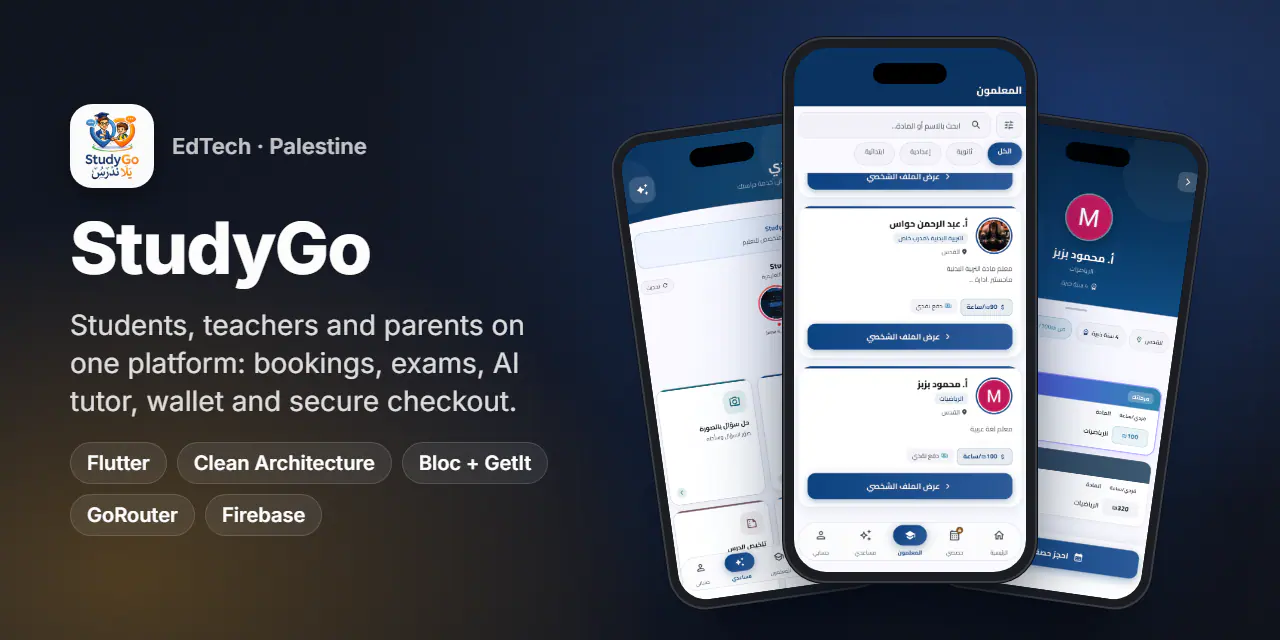
One Flutter app for students, teachers and parents in Palestine: book lessons, sit timed exams, pay securely and learn with 27 AI tools.
- Country
 Palestine
- Type
- Client project
- Timeline
- 2026
- Platforms
- Android · iOS · iPad
- AI tools across three roles
- 27
- roles in one app
- 3
- installs on Google Play
- 100+
- tracked analytics events
- 25+
Overview
StudyGo connects students in Jerusalem and across Palestine with specialised teachers for the Tawjihi and Bagrut (Arabic) curricula. It is one app with three roles.
Students find teachers, book private or group lessons, buy study programs, sit exams and use an AI study assistant. Teachers pass an activation wizard, then manage subjects, sessions, files, exams, grading, earnings and a wallet. Parents link their children, follow sessions and results, and get AI help to read reports and write to teachers.
The project started in April 2026 and reached the App Store in July 2026, with version 1.0.3 live on Google Play and the App Store for iPhone and iPad.
The challenge
- 01
Three products in one app: different home screens, tabs and permissions per role, teachers pending review, and role switching
- 02
Real money: card payments through a hosted page, where 3-D Secure and Google Pay will not run inside a WebView and money must never be a float
- 03
Timed exams on untrusted clocks: countdowns must follow the server, not the phone
- 04
Store rules: no login wall, Sign in with Apple next to Google, in-app account deletion and guest browsing
Highlights
Students
- Browse and filter teachers by stage, with prices, experience, location and reviews
- Book private sessions or join group sessions, each online session with its own meeting link
- A store of study programs with purchases and a timeline of sessions
- Sit timed exams, review attempts and see published results
Teachers
- An activation wizard with pending, awaiting-review, approved and rejected states
- Subjects, sessions, files with PDF and video viewers, exams and a grading queue
- Objective questions scored automatically; results stay hidden until the teacher publishes
- Earnings, payout settings, a recurring subscription and a wallet for commission top-ups
Parents and AI
- Parents link children and follow each child's sessions and progress
- 27 AI tools across the three roles, from a photo question solver to exam and lesson-plan generators
- An educational YouTube stories row with native stream resolution, no WebView
Platform
- FCM push plus a REST notification feed with deep-link routing
- Guest mode with contextual sign-up sheets, native Google and Apple sign-in, and in-app account deletion
- Remote Config force update, Crashlytics, Analytics with 25+ events and Firestore logging of critical errors
Signature feature
An AI assistant for every role
- The assistant tab is one entry point for everyone, but the tools change with the role.
- Students solve questions from a photo, get step-by-step solutions, summaries, flashcards, a study plan, a Tawjihi review and a writing trainer.
- Teachers generate exams, quizzes and question banks, build lesson plans, grade essays and issue certificates.
- Parents interpret reports, get home-support ideas and draft messages to teachers.
- Each tool is its own page in the
users_aifeature, with data, domain and presentation layers, under a StudyGo channel of in-app YouTube stories.
Screens
Swipe for more
Engineering notes
- 01
The exam clock never trusts the device
The countdown reads the server offset returned with the attempt and re-anchors on every save, so a phone ten minutes fast still shows the true time. The pinned header turns red in the last five minutes.
- 02
Hosted checkout in a real browser tab
Every paid product returns the same
{ mode, redirectUrl?, purchaseId? }shape. Checkout opens in a Custom Tab or Safari view and returns via astudygo://deep link, keeping card data out of the app and passing store review. - 03
Money as integers
All amounts travel as signed integers in agorot (1/100 ILS) and are formatted only at the edge. If the user closes the payment tab, the app polls the purchase status as a fallback.
- 04
Grading that respects the teacher
Objective answers arrive pre-scored, so the grading queue holds only human-marked questions and the final confirmation. Students and parents see nothing until the teacher publishes.
- 05
Guest mode by design
A guest is simply a logged-out app with no token and no server state. Any gated action opens a contextual Google/Apple sign-up sheet over the current screen.
- 06
Fault-tolerant startup
Firebase initialisation is wrapped so a misconfigured service cannot crash launch, analytics calls go through a
_safe()guard, and critical errors are written to Firestore for triage.
Results
- Live on Google Play with 100+ installs
- Live on the App Store in the Education category, version 1.0.3, for iPhone and iPad
Stack
- Flutter
- Clean Architecture
- Bloc / Cubit
- GetIt
- GoRouter
- Dio
- dartz
- Custom Tabs + app_links
- FCM
- Crashlytics
- Remote Config
- Firestore
- flutter_map
- Google / Apple Sign-In